



The Darkroom
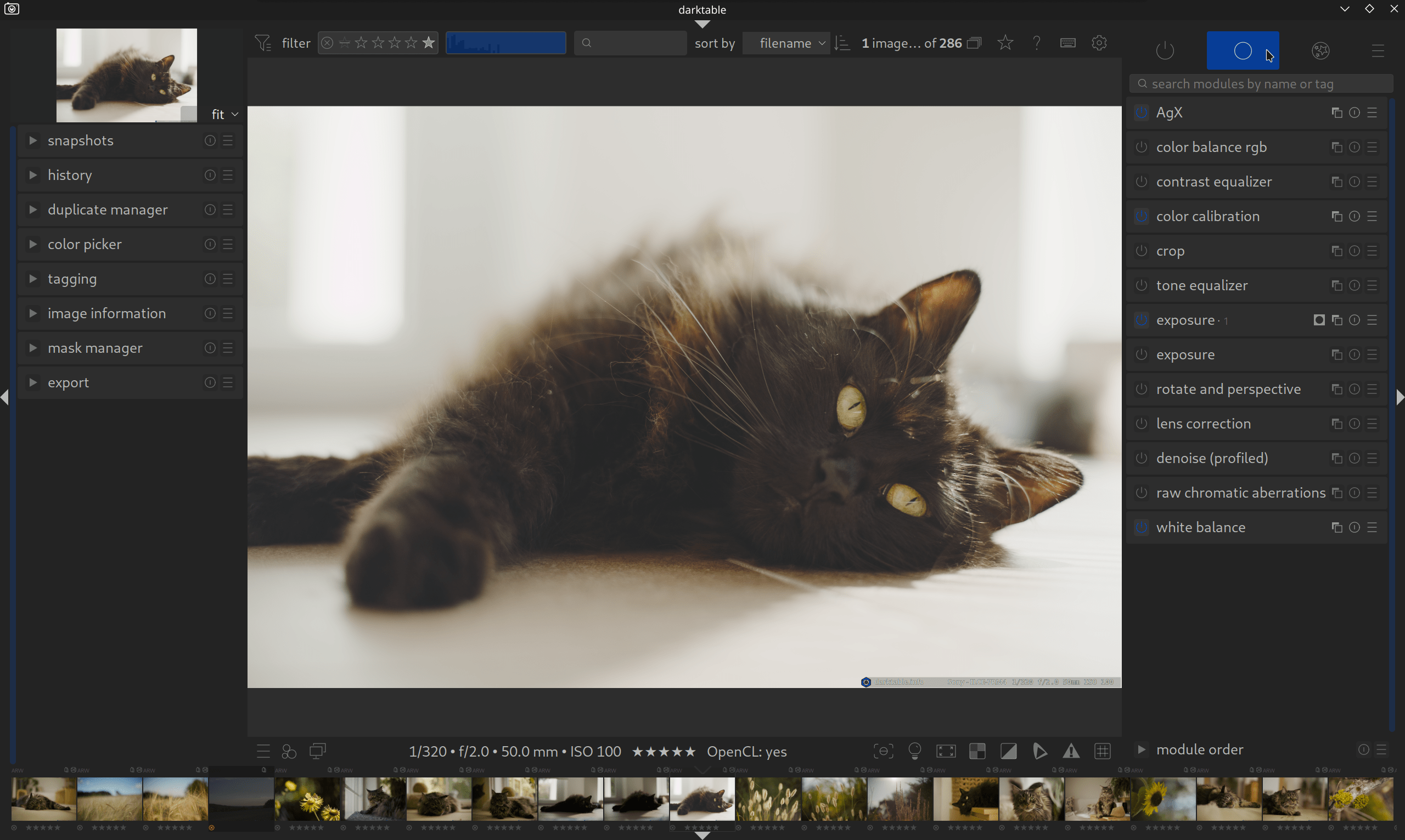
The most important functions in Darktable are located in the panels on the left and right sides. For our first visit to the darkroom, we will focus on the so-called “processing modules” on the right side.
When you open the darkroom, it is helpful to know how to make more room for your image on the screen. To do this, collapse the top, left, and bottom panels. This leaves only the modules on the right side visible for now, minimizing distractions.
The right panel shows a list of processing modules. Many names will be immediately understandable to you (e.g., Exposure, White Balance). You can find a description of the modules here. If you really want to know everything about a specific module, it is time for a visit to the official user manual. For beginners, this might seem a bit overwhelming at first, but as soon as you ask yourself concrete “How do I do that?” questions, you will find that the manual provides many answers.
Relevant Keyboard Shortcuts
Here are the most important keys to create space on the screen:
Tab : Toggles all side panels on or off simultaneously (the fastest way to a large image!).Ctrl + Shift + L : Toggle left panel (Left).Ctrl + Shift + R : Toggle right panel (Right).Ctrl + Shift + T : Toggle top panel (Top).Ctrl + Shift + B : Toggle bottom panel (Bottom).Ctrl + F : Toggle filmstrip (Filmstrip).Ctrl + H : Toggle header (Header).B : Toggles borders/guides (useful for assessing the image without distraction).
Good to know: Technically, Darktable always calculates the image from bottom to top through the module list (the pixel pipeline). But don’t let this confuse you: You can perform your editing steps in any order. The software automatically arranges your inputs correctly in the calculation process.
Now that you have familiarized yourself a little with the darkroom, take a look at the Standard Workflow or a processing example.
March 5, 2026
Links to Standard Workflow and processing example lead to German text. These need translating,
I could help, cleaning up Google translate’s effort.