



Overview
- Global Shortcuts
- Lighttable
- Lighttable (rare)
- Darkroom
- Darkroom (rare)
- Slideshow
- Mouse Interactions and Default Behavior (Fallbacks)
Global Shortcuts
These shortcuts work in most views of Darktable.
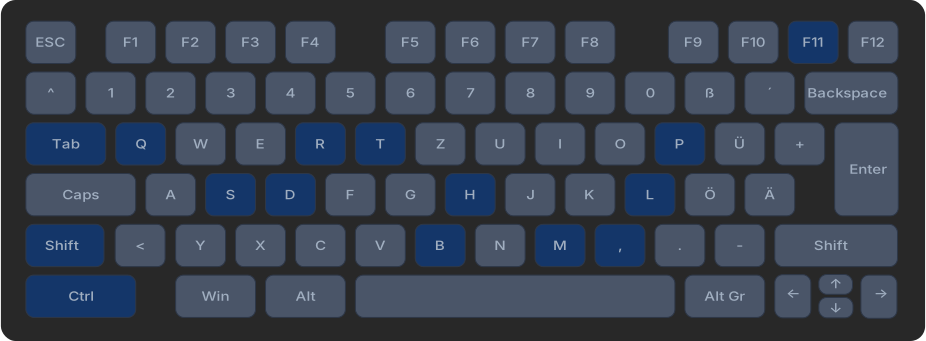
| Shortcut | Action |
|---|---|
Tab | Toggle all sidebars |
Ctrl + , | Open preferences |
B | Collapse/expand sidebar controls |
H | Show keyboard shortcuts window |
Ctrl + H | Toggle header |
L | Switch to lighttable |
D | Switch to darkroom |
M | Switch to map view |
S | Switch to slideshow |
T | Switch to tethering mode |
P | Switch to print view |
Shift + T | Toggle tooltips |
Ctrl + Q | Quit Darktable |
F11 | Toggle fullscreen mode |
Shift + Ctrl + L | Toggle left sidebar |
Shift + Ctrl + R | Toggle right sidebar |
Shift + Ctrl + T | Toggle top bar (filmstrip) |
Shift + Ctrl + B | Toggle bottom bar |
Lighttable
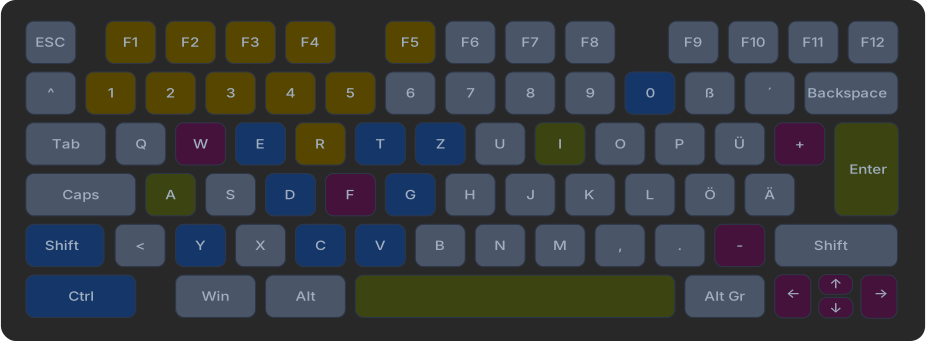
Shortcuts for image management, rating, and export.
Navigation & Zoom
| Shortcut | Action |
|---|---|
W | Fullscreen preview of selected image |
Ctrl + W | Preview with focus peaking |
F | Toggle preview |
Ctrl + + | Zoom in |
Ctrl + - | Zoom out |
Arrow keys | Navigate between images |
Home / End | Jump to first/last image |
Selection
| Shortcut | Action |
|---|---|
Space | Toggle selection for image under cursor |
Enter | Select single image |
Ctrl + A | Select all images |
Ctrl + Shift + A | Deselect all |
Ctrl + I | Invert selection |
Rating & Tagging
| Shortcut | Action |
|---|---|
0-5 | Set rating (0 to 5 stars) |
R | Reject image |
F1 – F5 | Set color label (Red, Yellow, Green, Blue, Purple) |
Image Operations
| Shortcut | Action |
|---|---|
Ctrl + C | Copy history stack |
Ctrl + V | Paste history stack |
Ctrl + D | Duplicate image |
Del | Remove image from library |
Ctrl + G | Group selected images |
Ctrl + Shift + G | Ungroup images |
Ctrl + E | Export selected images |
Miscellaneous
| Shortcut | Action |
|---|---|
I | Show image information |
Ctrl + T | Open tagging module |
Ctrl + Z | Undo |
Ctrl + Y | Redo |
Lighttable (rare)
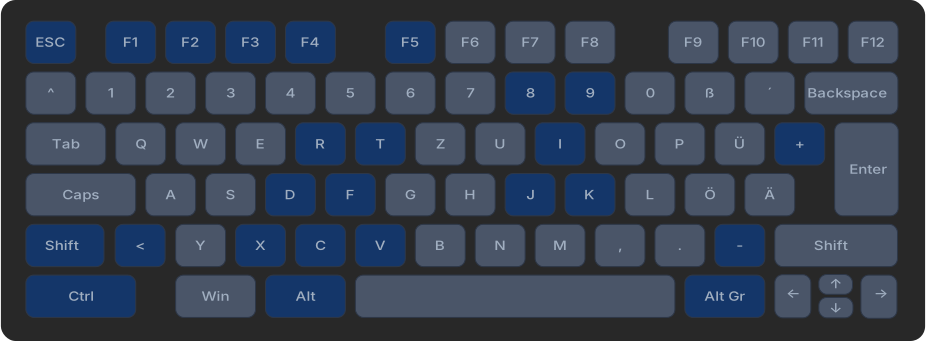
| Shortcut | Action |
|---|---|
Alt + + | Maximum zoom |
Alt + - | Minimum zoom |
AltGr + 8 | Timeline: selection start |
AltGr + 9 | Timeline: selection end |
< | Views: toggle zoom mode |
Ctrl + Shift + C | Selectively copy parts of history stack… |
Ctrl + Shift + D | Create unedited duplicate |
Shift + F | Toggle unrestricted preview |
Ctrl + F | Toggle filmstrip and timeline |
Ctrl + Shift + F | Toggle focus peaking |
Ctrl + Shift + I | Copy & import images… |
Ctrl + Shift + Alt + I | Reinitialize input devices |
Ctrl + J | Metadata: jump to filmstrip |
Ctrl + K | Collection: history |
Ctrl + Shift + K | Collection: jump back to previous collection |
Ctrl + R | Views: toggle restricted mode |
Alt + T | Reapply last tag |
Ctrl + Shift + V | Selectively paste parts of history stack… |
X | Toggle views mode |
Shift + X | Toggle views mode without restriction |
Ctrl + X | Views: toggle dynamic mode |
Escape | Leave current layout |
Alt + Escape | Leave and go to next image |
Home / End | To first/last image in series |
Page Up / Page Down | Page up/down |
Shift + F1–F5 | Filter rules for color labels |
Darkroom
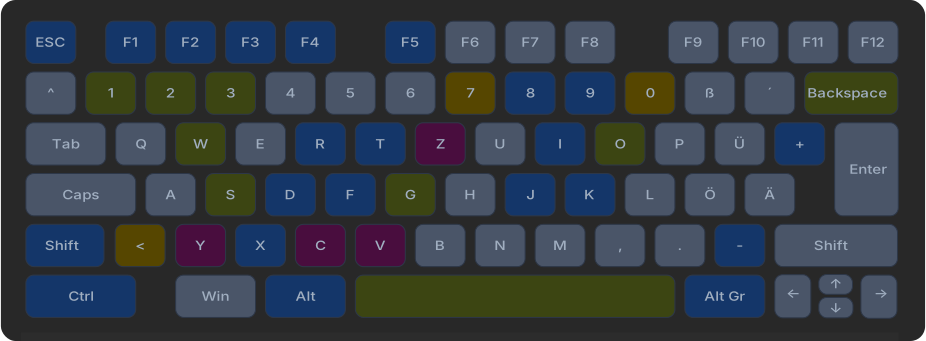
Shortcuts for image editing.
Navigation & View
| Shortcut | Action |
|---|---|
Space | Go to next image |
Backspace | Go to previous image |
W | Fullscreen preview |
Ctrl + + | Zoom in |
Ctrl + - | Zoom out |
Alt + 1 | Zoom to 100% |
Alt + 2 | Zoom to fill |
Alt + 3 | Zoom to fit |
G | Toggle guides |
O | Toggle overexposure warning |
Ctrl + G | Toggle gamut check |
Ctrl + S | Toggle softproof |
Image Operations
| Shortcut | Action |
|---|---|
Ctrl + Z | Undo |
Ctrl + Y | Redo |
Ctrl + C | Copy history stack |
Ctrl + V | Paste history stack |
Module Shortcuts
| Shortcut | Action |
|---|---|
E | Exposure module |
C | Crop module |
AltGr + 8 | Rotate 90° counter-clockwise |
AltGr + 9 | Rotate 90° clockwise |
Masks & Brush
| Shortcut | Action |
|---|---|
AltGr + 0 | Increase brush hardness |
AltGr + 7 | Decrease brush hardness |
< | Decrease brush opacity |
Shift + < | Increase brush opacity |
Color Assessment
| Shortcut | Action |
|---|---|
Ctrl + B | Toggle color assessment |
Darkroom (rare)
| Shortcut | Action |
|---|---|
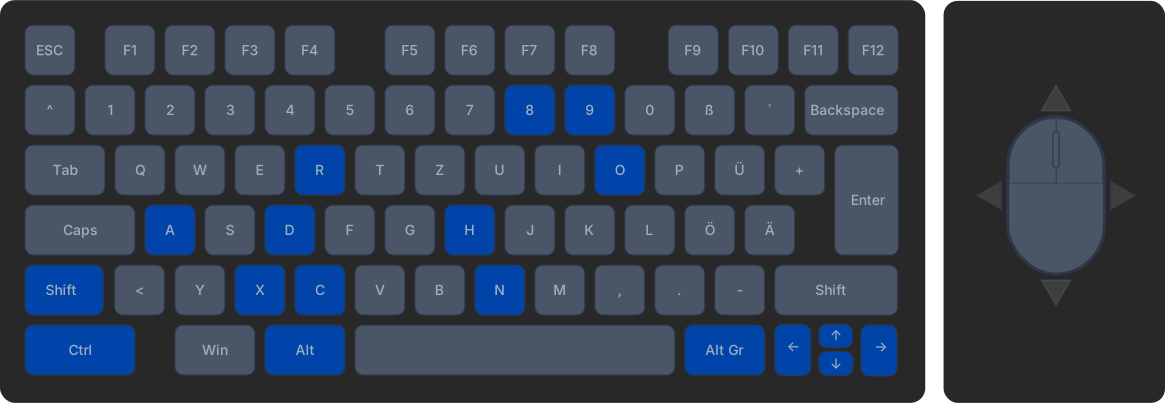
AltGr + 8 | Perspective correction: rotate up |
AltGr + 9 | Perspective correction: rotate down |
A | Force pan/zoom/rotate with mouse |
Ctrl + Shift + C | Copy parts of history stack |
Ctrl + Shift + D | Create unedited duplicate |
Ctrl + Shift + H | Toggle histogram (also in tethering) |
Ctrl + Shift + N | Toggle navigation thumbnail |
Shift + O | Toggle RAW overexposure warning |
Ctrl + O | Cycle overlay colors |
Alt + R | Perspective correction: rotate |
Ctrl + X | Synchronize selection |
Arrow keys | “Move” module: move horizontally/vertically |
Ctrl + Arrow keys | Map view: scroll far |
Slideshow
| Shortcut | Action |
|---|---|
Space | Start and stop slideshow |
Escape | End slideshow |
Left Arrow | Back |
Right Arrow | Forward |
Up Arrow / + | Decrease speed |
Down Arrow / - | Increase speed |
Mouse Interactions and Default Behavior (Fallbacks)
These entries define what happens when you click or scroll on various UI elements with the mouse.
| Interaction | Element Type | Action |
|---|---|---|
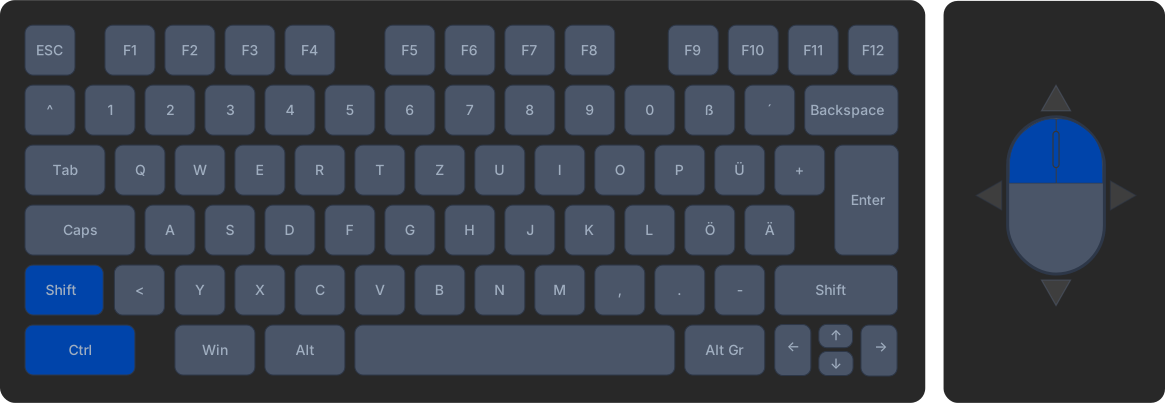
| Left click | Utility module | Open/close module |
| Double click (left) | Utility module | Reset module |
| Right click | Utility module | Show presets |
| Left click | Processing module | Enable/disable module |
| Long left click | Processing module | Focus module |
| Double click (left) | Processing module | Reset module |
| Right click | Processing module | Show presets |
| Double click (right) | Processing module | Create new module instance |
Shift | Value input | Multiply value by 10 |
Ctrl | Value input | Multiply value by 0.1 |
Shift + Ctrl | Value input | Multiply value by 10 |
| Horizontal movement | Value input | Multiply value by 0.1 |
| Vertical movement | Value input | Multiply value by 10 |
| Double click (left) | Value input | Reset value |
| Vertical + Double click | Value input | Set value to maximum |
Ctrl | Toggle | Ctrl toggle action |
| Right click | Toggle | Right toggle action |
| Long click | Toggle | Right toggle action |
| Scroll | Dropdown menu | Next/previous entry |
| Vertical movement | Dropdown menu | Next/previous entry |
| Left click | Dropdown menu | Open/close menu |
Ctrl + Left click | Dropdown menu | Ctrl toggle action |
| Double click (left) | Dropdown menu | Reset |
Shift + Ctrl | Slider | Multiply value by 10 (forced) |
| Left click | Slider | Button action |
Ctrl + Left click | Slider | Ctrl toggle action |
| Vertical + Right click | Slider | Zoom into slider |
Ctrl | Button | Ctrl activation |
| Right click | Button | Right activation |
| Long click | Button | Right activation |
Shift | Contrast Equalizer | Reset |
Ctrl | Contrast Equalizer | Lower area |
Shift | Move tool | Select |
January 4, 2026