



The basis for correct colors
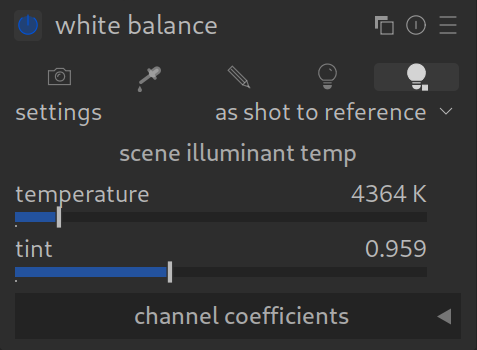
What is it about?
White balance ensures that white areas in the image actually look white and have no color cast by balancing the color temperature of the light source (e.g., warm candlelight or cool shadow light).
Attention: The modern workflow!
If you use darktable in the modern “scene-referred” workflow, the role of this module has changed significantly:
- Previously: You creatively set the mood of the image here (warmer/cooler).
- Today: The module only serves for basic technical calibration.
How to apply it (Modern):
- Ideally, leave the setting at “Camera reference” (often a small icon that looks like a light bulb or sun, or fixed at approx. 6500K D65).
- The image might still look wrong – that’s okay!
- You make the actual color adjustment in the module Color Calibration.
Why is that?
The white balance in the RAW module works very roughly mathematically. Color Calibration’s (CAT) works more the way physical light does and delivers better colors, especially in difficult lighting situations (mixed light, artificial LED lighting, etc.).
Conclusion:
Consider “White Balance” a mandatory module, not a creative tool, but leave it alone and use the Color Calibration module instead.
For more information, view darktable’s official manual page: “white balance”.
Questions about this topic? Discuss it with us in the forum!
January 27, 2026