



Why are there so many modules?
You might wonder why Darktable has over 60 modules when you only need a handful. There are two reasons for this:
- Backward Compatibility: If you edited a photo 5 years ago, the old module must still exist today so that your image still looks exactly the same.
- Special Cases: Even though modern modules (like AgX or Tone Equalizer) usually do the job better, there are still niche cases where an old module is exactly the right tool.
The good news: For 95% of your images, you only need the following groups.
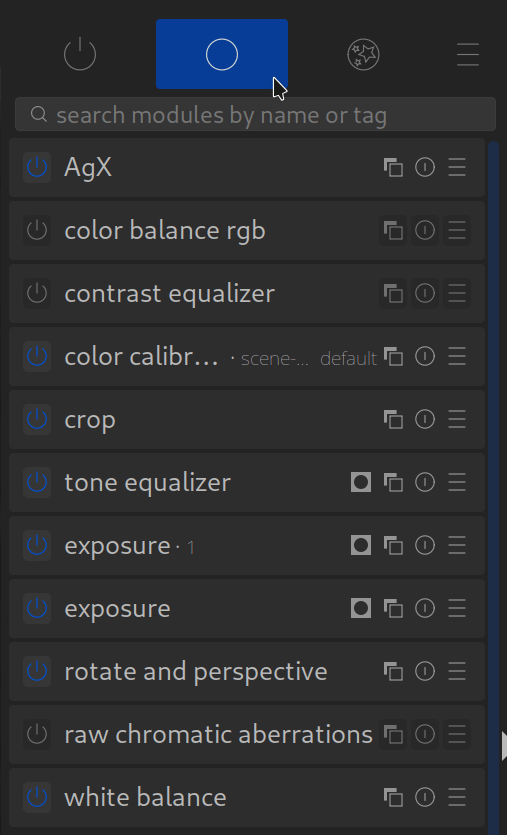
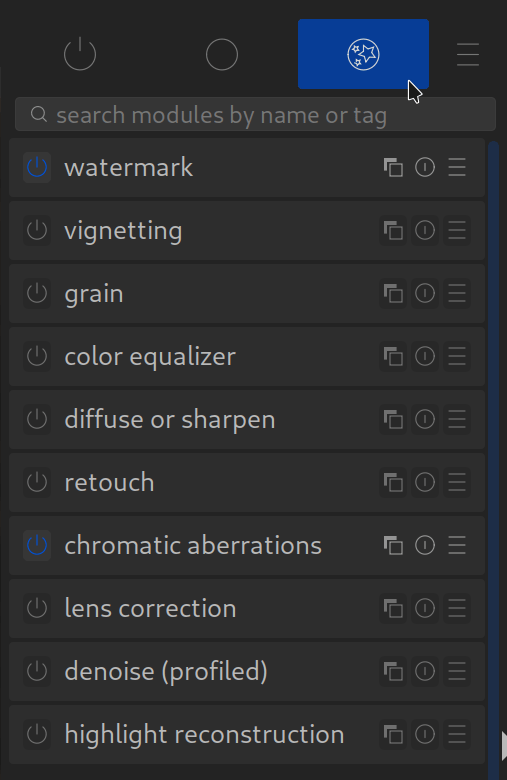
The Tools: All (Important) Modules at a Glance
Here you will find our detailed guides to the most important tools, sorted by their task in your workflow. We explain not only what the sliders do, but when and why you use them.
The “Big 5+1” (The Standard Workflow)
These modules are the heart of every modern edit. If you master these, you have mastered Darktable.
- Exposure: Control brightness.
- Color Calibration: Perfect white balance.
- AgX: Contrast and dynamic range (Tone Mapping).
- Tone Equalizer: Brighten shadows, save highlights (Dodge & Burn).
- Color Balance RGB: Saturation and Color Grading.
- White Balance: The technical basis (usually automatic).
Sharpness, Details & Noise
For the finishing touch and technical perfection.
- Contrast Equalizer: Crisp sharpness and clarity.
- Diffuse or Sharpen: High-end details and lens correction.
- Denoise (Profiled): Remove noise, tailored to your camera.
- Capture Sharpening: Basic sharpening for RAW files.
- Highlight Reconstruction: Save blown-out highlights.
- Raw Chromatic Aberrations: Remove color fringing.
Geometry & Crop
- Crop: Choose the image frame.
- Rotate and Perspective: Straighten horizon & correct converging lines.
- Lens Correction: Automatically fix distortions.
Creative & Retouching
- Masks & Local Adjustments: Targeted editing of image areas.
- Retouch: Remove distracting elements.
- Color Equalizer: Manipulate colors precisely (HSB).
- Grain: Simulate analog film look.
- Vignetting: Darken edges for more focus.
- Watermark: Your logo in the image.
Others
- Deprecated Modules: What you should no longer use today (and why).
February 5, 2026
I use Lens Correction and Denoise (Profiled) before making other edits, and wonder what your advice is on the sequencing for these two modules.
Thank you so much for your question! There’s absolutely no reason not to use these modules right from the start; quite the opposite, in fact.
We’ve placed them in the “optional” section because they can also be a deal-breaker if the camera or lens isn’t supported.