
January 5, 2026
What is it about?
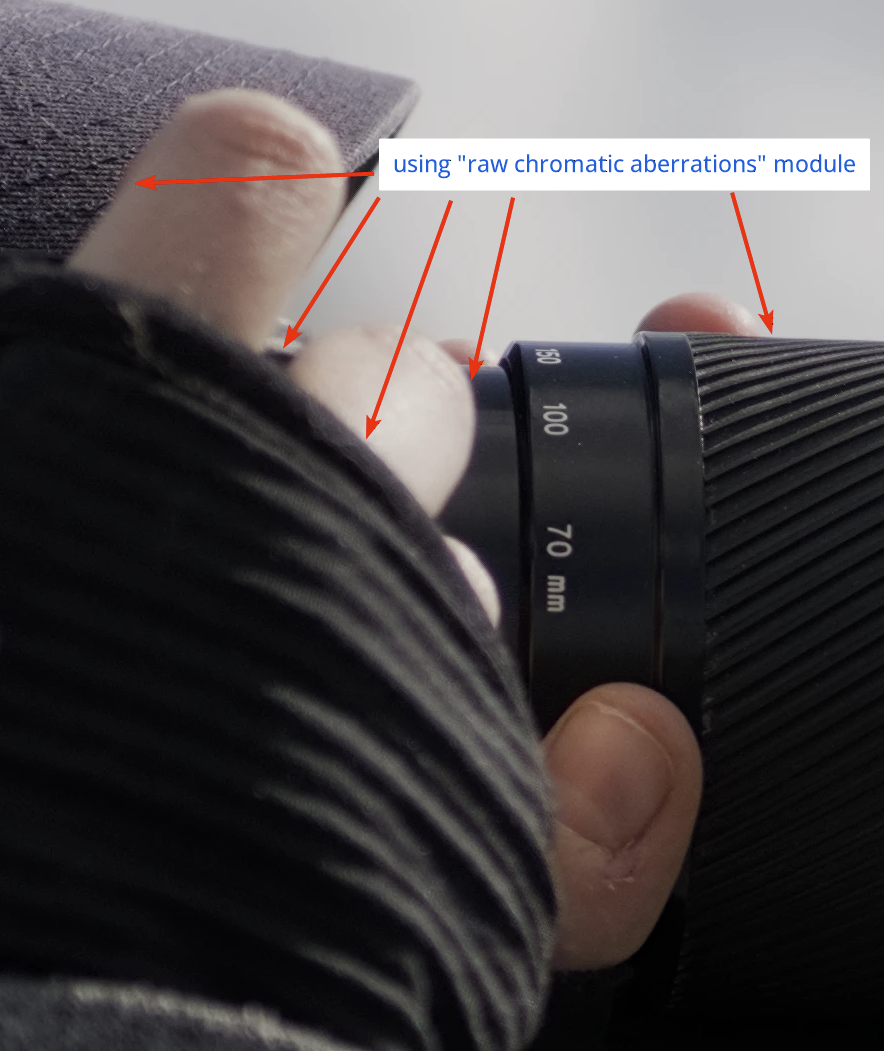
Chromatic aberrations (CA) are color errors caused by the lens. They often appear as ugly purple, green or red color fringes on high-contrast edges (e.g., branches against a bright sky).
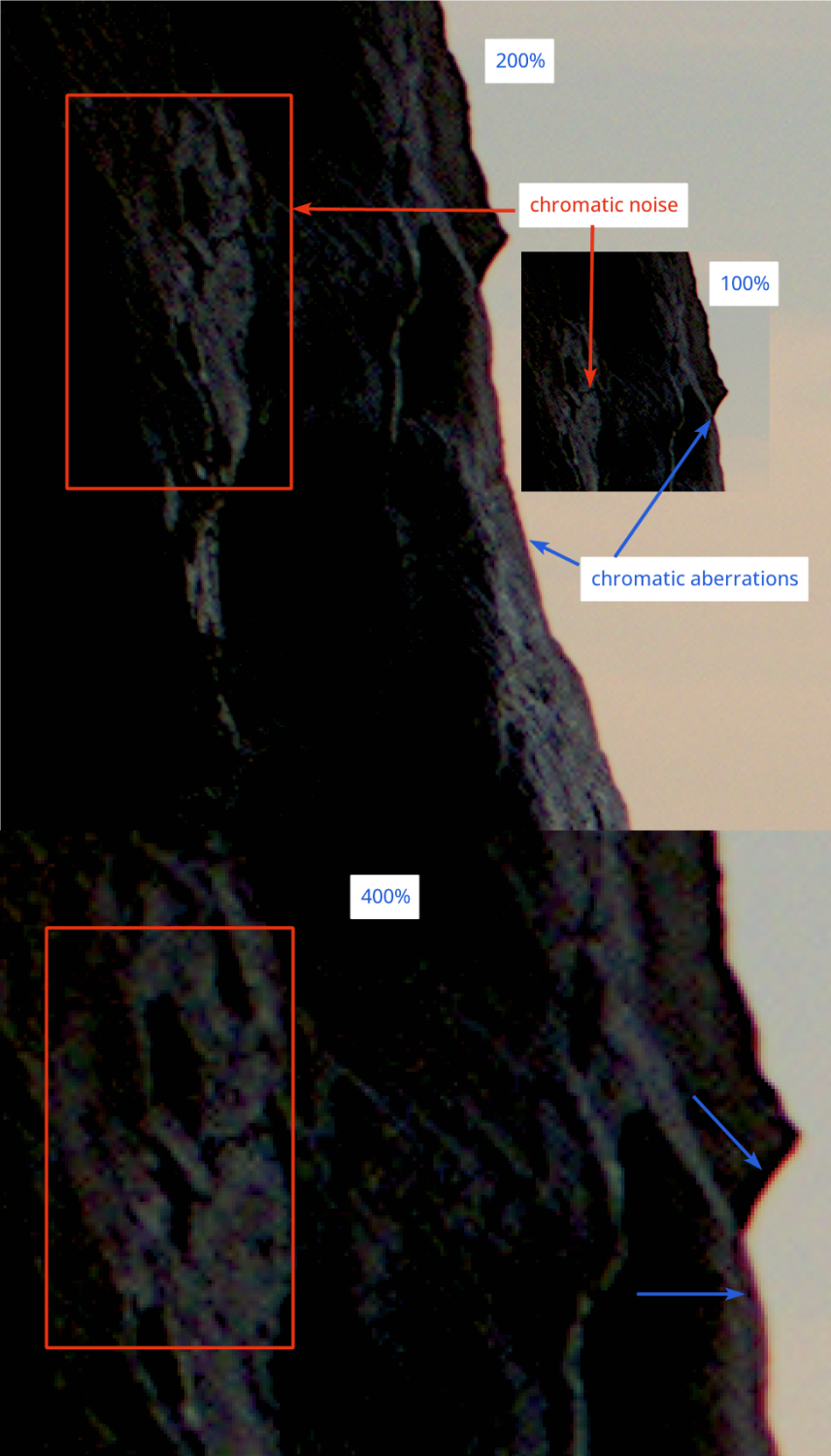
Darktable has three modules that deal with chromatic aberrations:
- raw chromatic aberrations – covered below
- chromatic aberrations – covered below
- lens correction – covered on our page “Lens Correction”
Raw Chromatic Aberrations
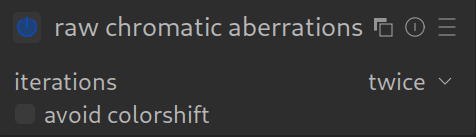
This module (“Raw CA”) works on the raw sensor data. This is often more effective and cleaner than later corrections as it intervenes early in image processing – even before the RAW image is converted into a visible image (demosaicing).
NOTE 1: Raw CA only works for Bayer sensors (which are the majority of modern sensors; if you don’t know your camera’s sensor type, you should check) and does not work on images identified as “monochrome” images. For these use cases, use the “Chromatic Aberrations” module instead – see below.
NOTE 2: Do not use the TCA correction options in the “Lens Correction” module if you are using the “Raw CA” module.
How to apply it:
Simply activate it. If you also use lens correction, then deactivate TCA there!
If color fringes are still visible, you can additionally use the “Chromatic Aberrations” module (see below) later in the workflow.
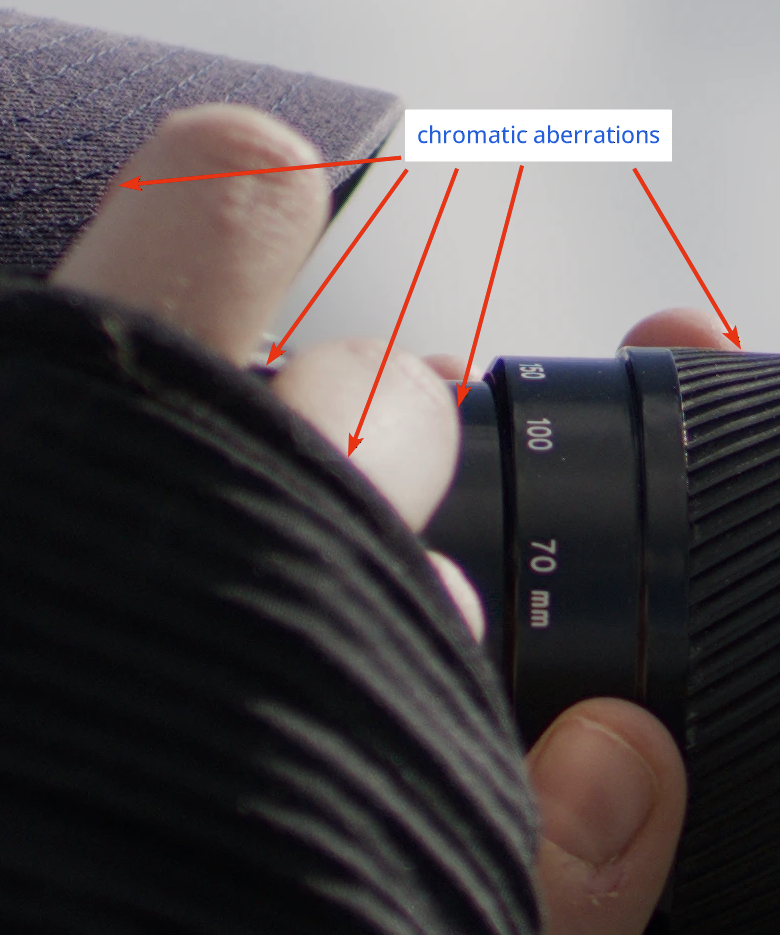
Without any modules to tame chromatic aberrations:
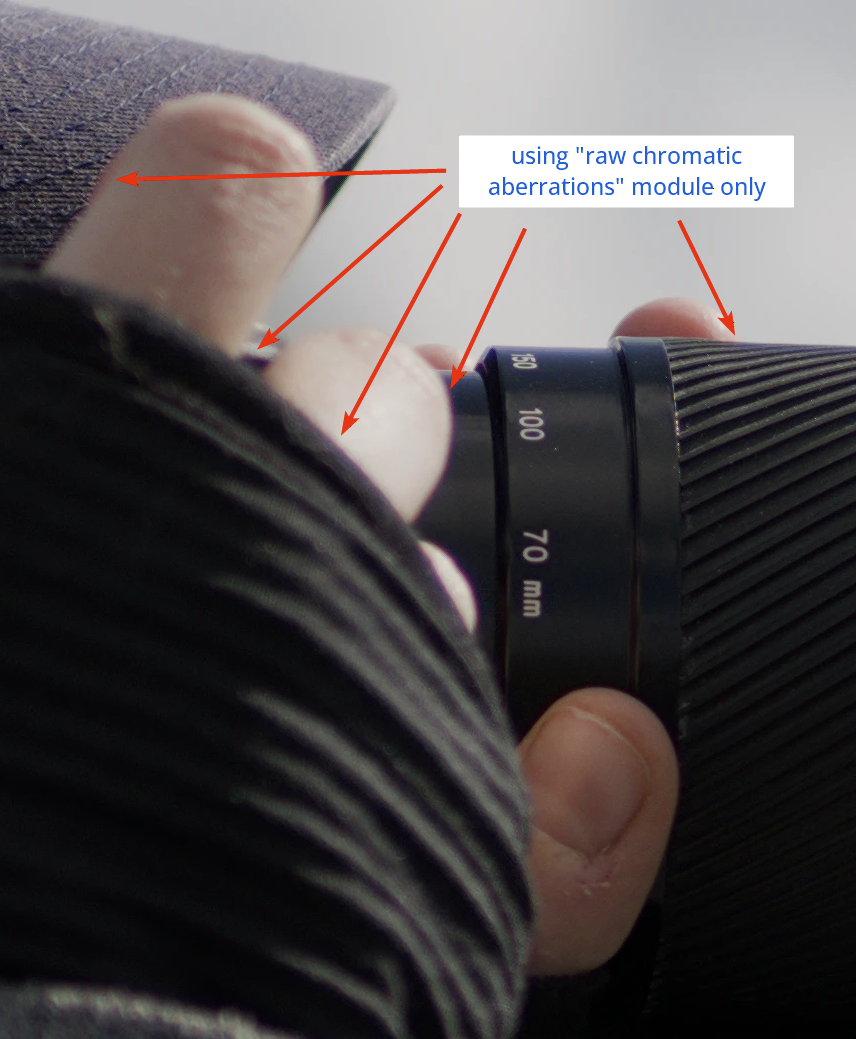
With only “raw chromatic aberrations” module applied:
With both “raw chromatic aberrations” and “chromatic aberrations” (see below) modules applied:
Chromatic Aberrations
When to use
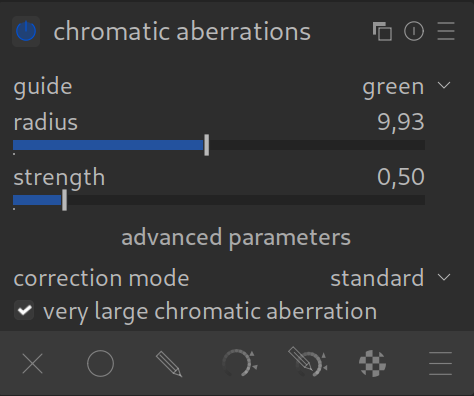
- When your camera’s sensor is not a Bayer sensor.
- If the “Raw Chromatic Aberrations” module wasn’t strong enough (especially with older lenses or extreme contrasts). Sometimes stubborn purple or green fringes might remain, so this module is the second line of defense.
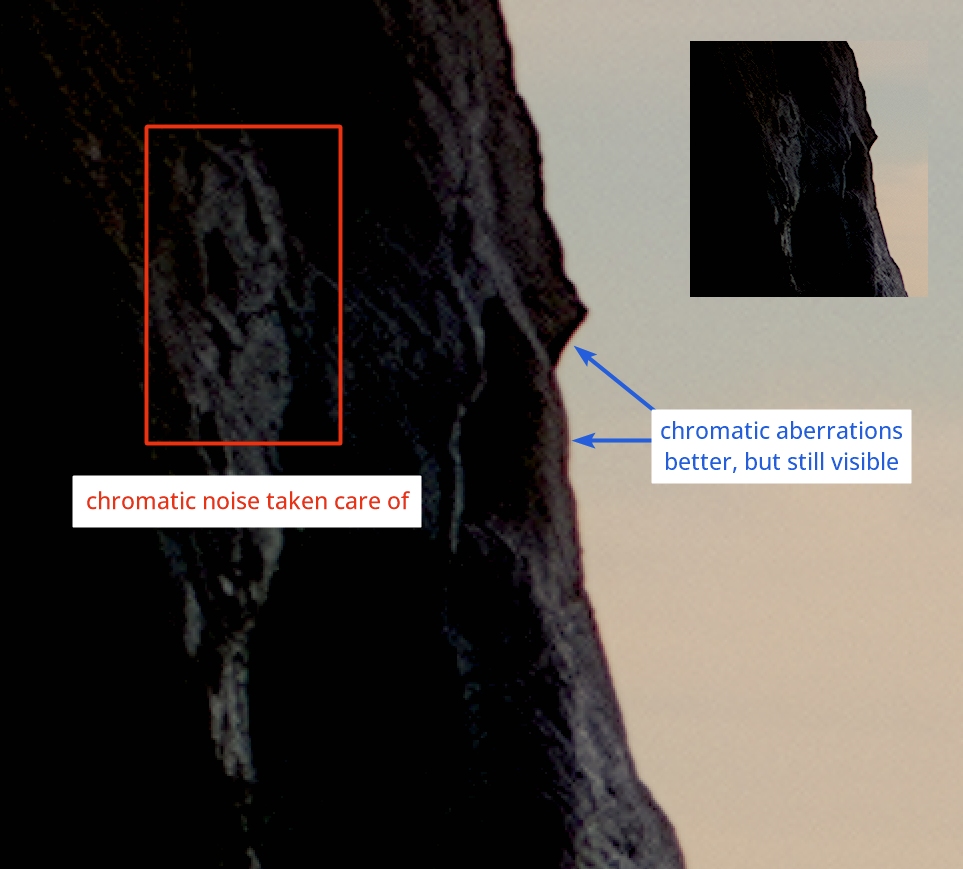
- If your image has stubborn chrominance noise (noise with different colored pixels near each other) that other denoising methods do not fully correct.
Difference from the RAW module:
While the RAW module tries to physically shift the color channels over each other, this module works more like an intelligent filter: it specifically looks for typical colors of color fringes (purple/green) at edges and desaturates or recolors them.
How to apply it:
- Activate the module.
- Often, simply turning it on is enough.
- If not, you can adjust the available parameters to tell the module exactly what should be recognized as a “color fringe” and how to try and correct it.
With “Chromatic Aberrations” module activated:
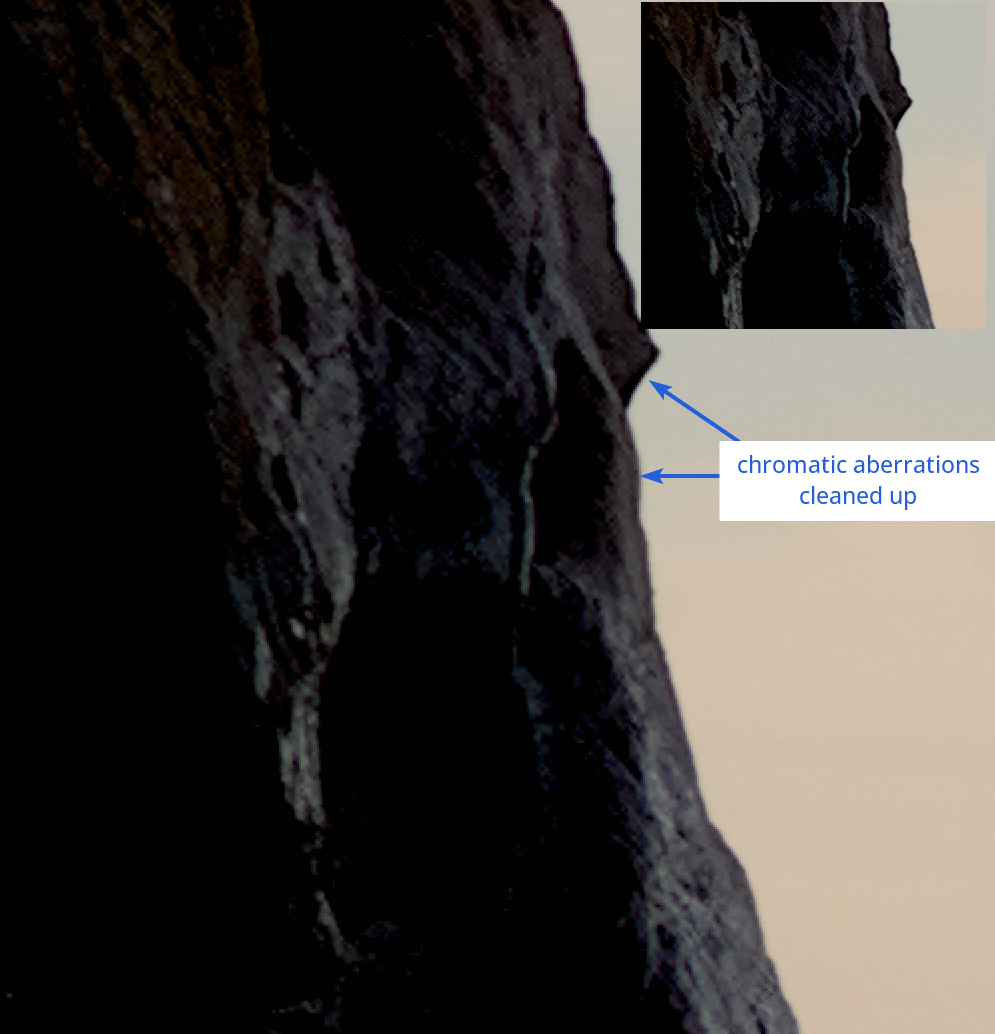
With both “Chromatic Aberrations” and “Lens Correction” modules activated:
For more information, view darktable’s official manual pages: “raw chromatic aberrations” or “chromatic aberrations”.
Questions about this topic? Discuss it with us in the darktable.info forum!
I just stumbled across this as i know that code very well. I think the “ProTip: always enable” is just bad. For most modern lenses it’s simply not required and can even possibly introduce artefacts.
If there would be a pro tip it would be: “If you have lenses that regularly produce CA you should define auto-applied presets for that lens both in raw chromatic aberration and lens correction module”. This original “ProTip” sort of simplification would certainly lead to darktable quality impairments.
Thank you very much for your message and suggestion. We have removed the problematic section/paragraph and will revise it again.
Best regards, Chris
Should this be used alongside the TCA correction in the Lens Correction module (which is enabled by default)? The manual (https://docs.darktable.org/usermanual/development/en/module-reference/processing-modules/raw-chromatic-aberrations/) explicitly warns against using both modules at the same time.
If not, which is recommended to use by default, the Raw Chromatic Aberrations modules, or the TCA correction from the Lens Correction module?
Raw Chromatic Aberration: Enable (On).
This addresses color fringing at the raw level.
Lens Correction: Enable (On).
BUT: In the Lens Correction module, you must disable the “TCA” (Transverse Chromatic Aberration) mode or ensure it isn’t actively correcting while the Raw module is already working.
Why the conflict?
If both modules attempt to shift the color fringing (the Raw module initially and the Lens module later), the second module might overcorrect or even undo the first. You might then see new color fringing that wasn’t there before.
In summary:
Yes, use both modules.
The Raw Chromatic Aberration module is the primary tool for correcting color fringing.
In the Lens Correction module, you should only use “Distortion” and “Vignetting”, but disable the “Chromatic Aberration (TCA)” option if you are using the Raw module.