
January 20, 2026
Out of 32GB system RAM, 4GB is permanently allocated as VRAM for the iGPU via the BIOS. This affects how the OpenCL drivers report memory to darktable:
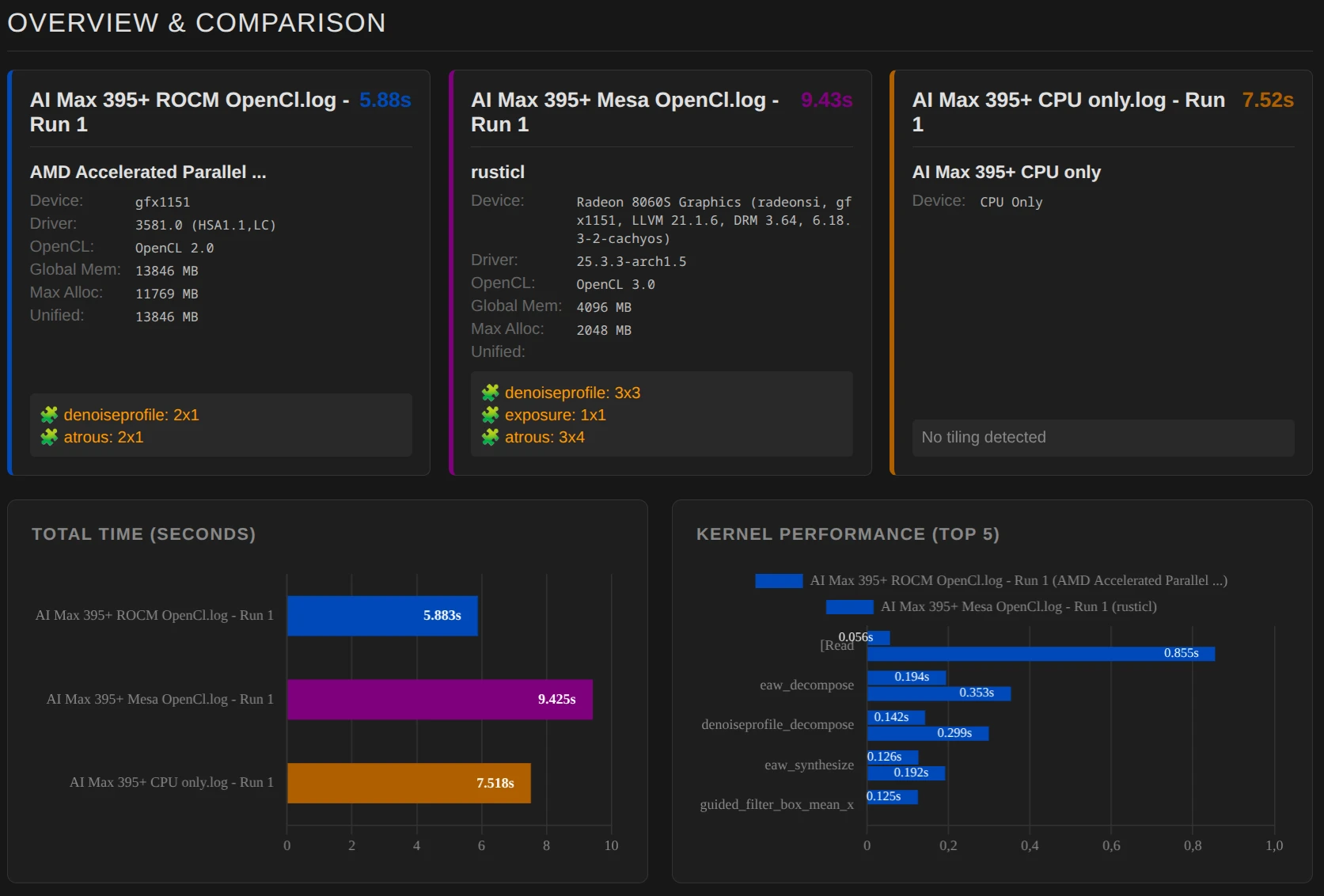
- Rusticl (Mesa): Strictly adheres to the BIOS reservation. It reports only the 4 GB as the maximum available memory. Consequently, darktable has to manage with limited memory, leading to tiling (3×3) and longer processing times (9.43s).
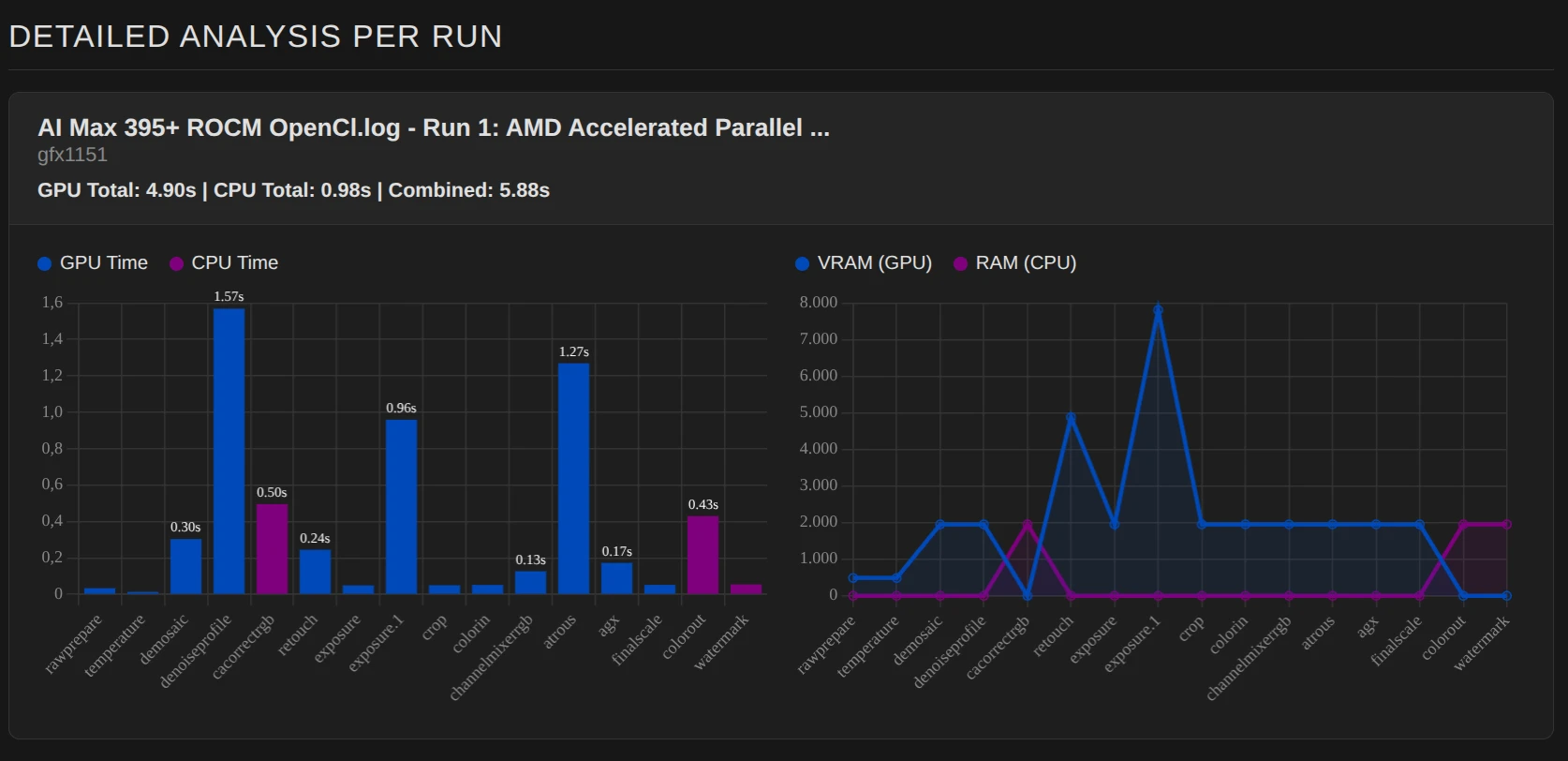
- ROCm: Takes full advantage of the Unified Memory Architecture (UMA). It ignores the artificial 4GB BIOS limit and flexibly accesses free system RAM (13.8 GB detected). This allows darktable to process larger image sections at once, minimizing tiling and significantly increasing performance (5.88s).

Why is this important?
The APU used is an AMD Ryzen AI Max 395+ with an 8060S iGPU, which shares memory with the CPU (Unified Memory).
Normally, the CPU and GPU share memory intelligently, meaning the iGPU reserves exactly the memory it currently needs (up to a possible upper limit). The remaining memory is available to the CPU.
In our example, at least 4GB is available to the iGPU; this is permanently reserved. The CPU is left with around 28GB of RAM.
If we start the export with Rusticl, only the 4GB is detected, even though the system could pass more memory to the iGPU. This results in tiling: 🧩 denoiseprofile: 3×3 🧩 exposure: 1×1 🧩 atrous: 3×4, and processing is slower.
Now we start the export with ROCm. DT receives information from the driver that it may use up to 14GB of memory. While this isn’t quite enough to completely prevent tiling, it is significantly reduced: denoiseprofile: 2×1 🧩 atrous: 2×1, and processing is faster.
So why not simply set more memory for the iGPU, e.g., 16GB? With the same amount of memory, Rusticl is actually faster than ROCm (in this example; this isn’t the case for every (i)GPU), but then the CPU would only have a maximum of 16GB available instead of 28GB.