
December 20, 2025
Collections and Collection Filters
the module collections is the most flexible way to select and sort your images. The most common methods are “film roll” (import date) and “folders”. But just as easily, you can create collections based on keywords, cameras, lenses, ISO values, or the print date. Or you just combine everything you need.
The goal is simply: find your pictures exactly how you want it. You can also save your complex searches as a preset to reuse them later.
How to use it
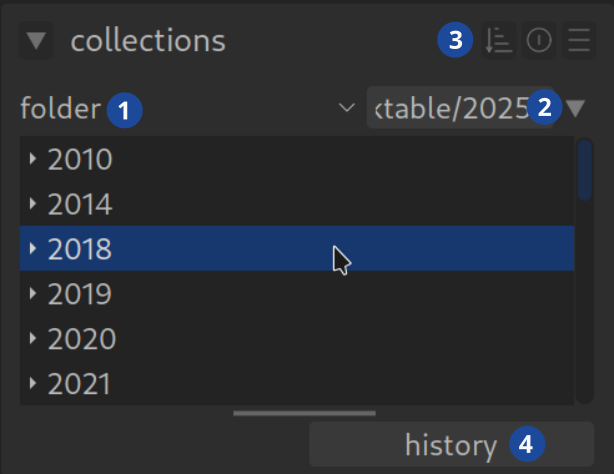
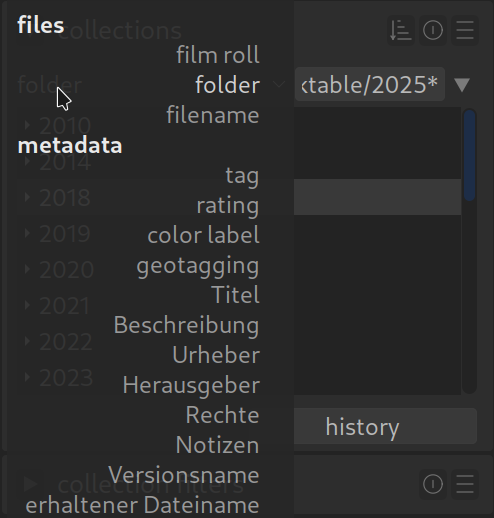
in the upper field (1) you select the attribute (folder). The list is long! “film roll” and “folder” are the classics. As soon as you have chosen an attribute, you will see the appropriate values in the field below (e.g. your folder names). These values are often grouped (e.g. by year) – one click opens the group.
As soon as you click on a value, it appears in the field next to it (2) as an active filter. You can also enter filters manually or load them via presets.
A click on “History” (4) Shows you your last filters used – very convenient to jump back quickly. It’s best to play around with it a little to get a feel for it.
Advanced use (combine rules)
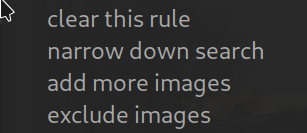
Once you have set your base filter, you can refine your selection. To do this, click on the small triangle to the right of the values field (2).
Darktable then asks you how you want to apply the new filter:

refine (and): Only show pictures that meet both criteria.

add (or): Show pictures of the first or second criterion.

exclude (except): Show everything except the chosen one.
The possibilities are endless. Example: Combine the “Folder” filter with the “Camera” attribute to only see smartphone photos from a specific vacation. Or find all the pictures between 2010 and 2015 taken with your full-frame camera and have the tag “Great Britain”.
Save your search as a preset
If you have clicked together a complex search, click on the “Hamburger Menu” (three lines) to the right of the input field (3) and select “Save new preset”. Done!
When folders or movie rolls are “disappeared”
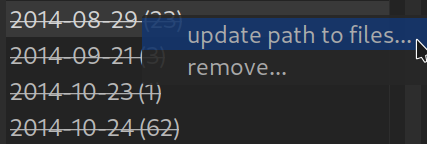
Sometimes Darktable shows folder or movie role names crossed out on. This is the sign that you moved or renamed the folder on your hard drive and couldn’t find it anymore.
The solution: Right-click on the crossed-out name -> “Search for a film roll…” (update or update path). Show darktable the new location and everything is back.
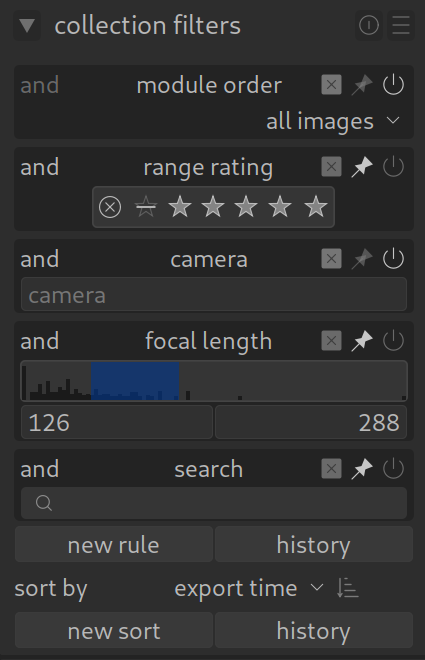
Even more powerful: The “Collection Filters”
In addition to the “Collections” module, there is the module Collection Filter (Collection Filters) (usually in the top panel). The advantage here: It offers graphic buttons (“widgets”) for star ratings, camera, focal length, color markings and many more.
You can perfectly combine these filters with the rules from the “collections”. Many users put this module in the upper bar to always have quick access to your best pictures (e.g. “Show only 5 stars”).
Activate the “Pin Needle” :

