
December 6, 2025
Myth: “Free cannot be as good as professional software.”
Reality: Darktable is professional software.
Many beginners believe that Darktable is a “hobby alternative” to Lightroom because it costs nothing. That is a misconception. Darktable is Free Open Source Software (FOSS) and is developed by scientists, mathematicians, and photographers who do not have to make compromises for marketing departments.
- The Engine: Darktable calculates internally with 32-bit floating-point precision. This is more accurate than many commercial programs.
- The Science: Modules like Color Balance RGB or Diffuse or Sharpen are based on current color research (2020+), while commercial tools often still build on older standards to remain “simple.”
- The Result: If you master Darktable, the image quality (sharpness, color fidelity, dynamic range) is often visibly better than the competition.
The price is not 0 Euro because it is “cheap.” But because it means Freedom.
1. Technically Superior Processing Pipeline (Scene-Referred Workflow)
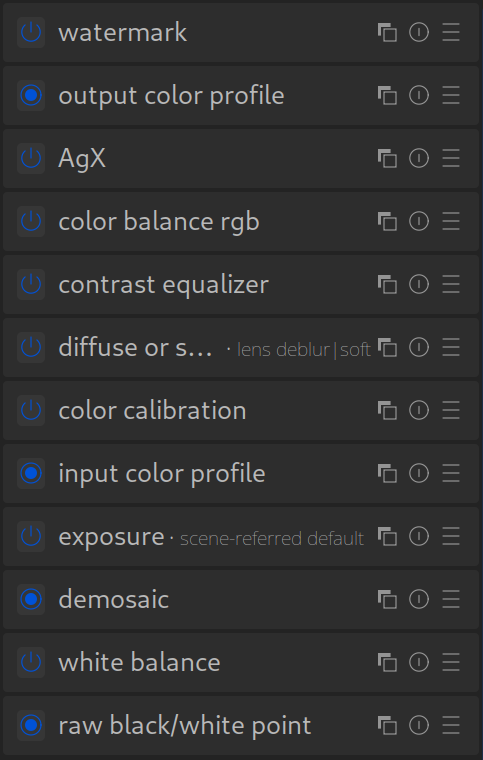
This is the biggest and technically most important advantage, even if it sounds a bit abstract for beginners.
What it means: Darktable works internally in a “scene-referred” workflow. This means the software tries as long as possible to process brightness values as they were “seen” by the camera – i.e., in a linear relationship to the captured light. Most other programs (especially older versions of Lightroom) switch very early to a “display-referred” mode, which is already optimized for output on a monitor with its limited contrast range.
The Advantage: Your latitude in highlights and shadows is immensely larger. You can make extreme corrections without colors falling apart or getting ugly clipping (blown-out highlights/crushed shadows). It is physically more correct and often leads to more natural results, especially with high-contrast subjects (e.g., sunsets).
2. Extremely Powerful Masking Functions
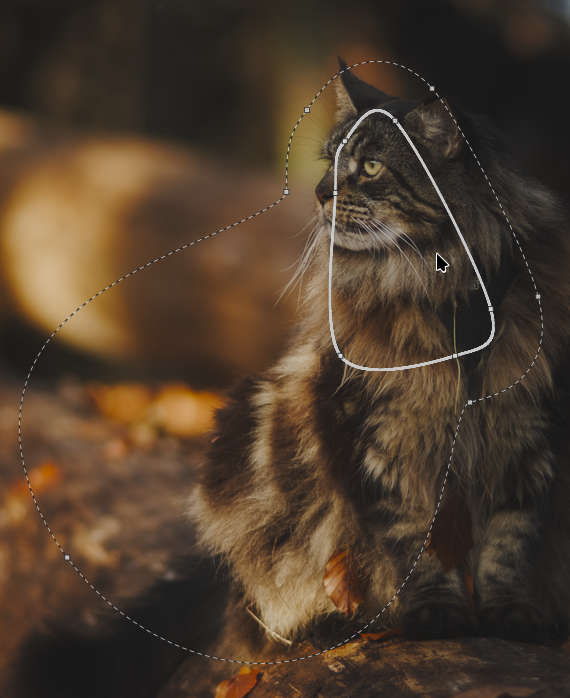
Here, darktable is miles ahead of many competitors.
What it means: In darktable, every single module (i.e., every processing step) can be equipped with one or more masks. You can create a mask based on brightness, color, or saturation (parametric mask), paint a mask by hand (drawn mask), and even combine these two.
The Advantage: You want to increase contrast only in the midtones of the blue areas? No problem. You want to apply brightening only to the face, but exclude the brightest highlights on the skin? A few clicks. This flexibility is more comparable to Photoshop than to the classic local adjustments in Lightroom.
3. Independence Instead of Subscription Compulsion (FOSS)
Darktable is not just “free.” It is Free Software.
Your images belong to you: No cloud, no catalog compulsion, no subscription that expires. You can still open your RAWs in 10 years without paying monthly rent.
No Black Box Principle: With commercial software, you never know exactly what a slider does. Darktable is transparent. You have full control over the mathematics behind your image.
Platform Independence: Darktable runs natively on Linux, Windows, and macOS. It runs equally stably on all systems (Windows, Mac, Linux).
Transparency & Community: You can view the code if you wanted to. Development is transparent and driven by a dedicated community, not commercial interests.
No “Vendor Lock-in”: Your edits are saved in separate .xmp files. You are not tied to a proprietary catalog.
Your metadata (tags, ratings) are safe in open XMP files. Your RAWs remain untouched. But beware: As with any RAW converter, the editing itself is not transferable to other programs. Therefore: Always export your finished images as JPG/TIFF!
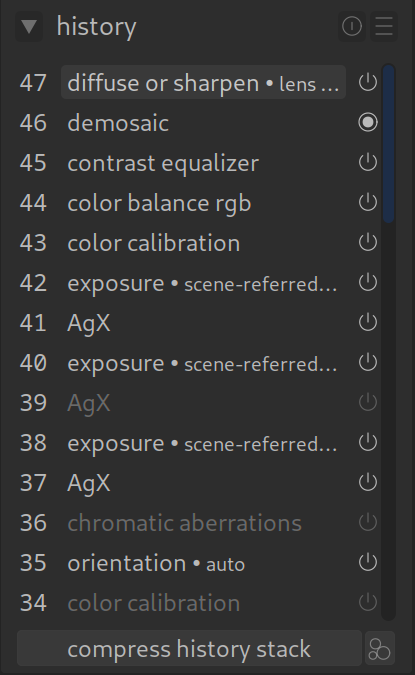
4. Non-Destructive to the Extreme (History Stack)
All RAW editors work non-destructively, but darktable takes it to the extreme.
What it means: Every single step, every tiny slider movement, is saved in the “History” stack. You can return to any step at any time, change it, change its order (conditionally), or disable it.
The Advantage: Absolute control. You can create “virtual copies” without duplicating the file, and simply apply a different history stack to it to create different versions of an image.
In Summary:
Darktable is like an extremely precise, modular toolbox, a laboratory for light. Lightroom is more like a very well-equipped, user-friendly designer studio.
Darktable offers you maximum technical control and uncompromising quality – if you are willing to engage with the ‘Why’. The learning curve is steeper, yes. But the reward is a deeper understanding of your photography and an editing power that gives you visibly better results than the standard.