
December 6, 2025
Darktable offers unique possibilities for keyboard layout. This makes it worlds superior to other programs in the field of photo editing. Even additional hardware like MIDI controllers can be easily replaced with it.
Darktable has about 190 shortcuts by default. These have evolved historically and hardly correspond to a modern and efficient keyboard layout anymore.
An ergonomic layout could look like this:

The key assignment is chosen so that all important modules for editing a photo can be reached with the left hand. The right hand remains free to operate the mouse.
Except for a simple (short) press of a key to open the module, all other actions are linked to the mouse.
Example using the AgX module
A simple short press of the “A” key opens the AgX module.
If “A” is held and the left mouse button is clicked, AgX is reset.
Analogous for all other modules that have received a key assignment.
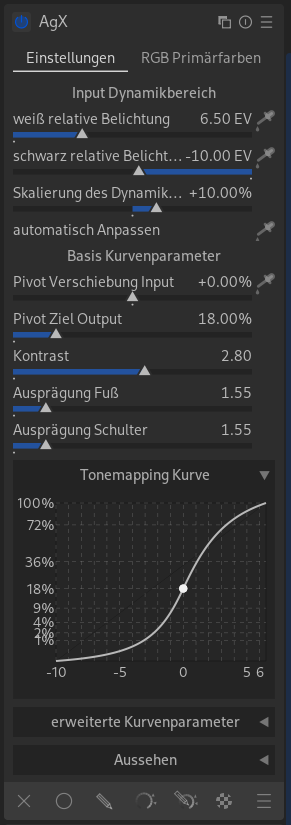
Hold down the “A” key and move the mouse vertically to change “Input Pivot Shift”.

Further key combinations with the mouse are:
- Hold key + Horizontal movement of the mouse.
- Hold key + Scroll with the mouse wheel
- Hold key + Press left mouse button
- Hold key + Press middle mouse button
- Hold key + Hold left mouse button and vertical mouse movement
- Hold key + Hold left mouse button and horizontal mouse movement
Import Shortcuts
If you don’t want to change your key assignment yourself, you can download my example file:
If you have already changed your own shortcuts, remember to make a backup of your settings.
Open the settings (gear icon) in the top right of Darktable and switch to the “Shortcuts” tab. You will find the “import” button at the bottom right.

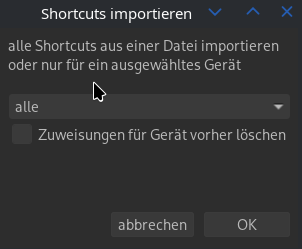
After clicking on “import”, another dialog opens. Confirm with OK.
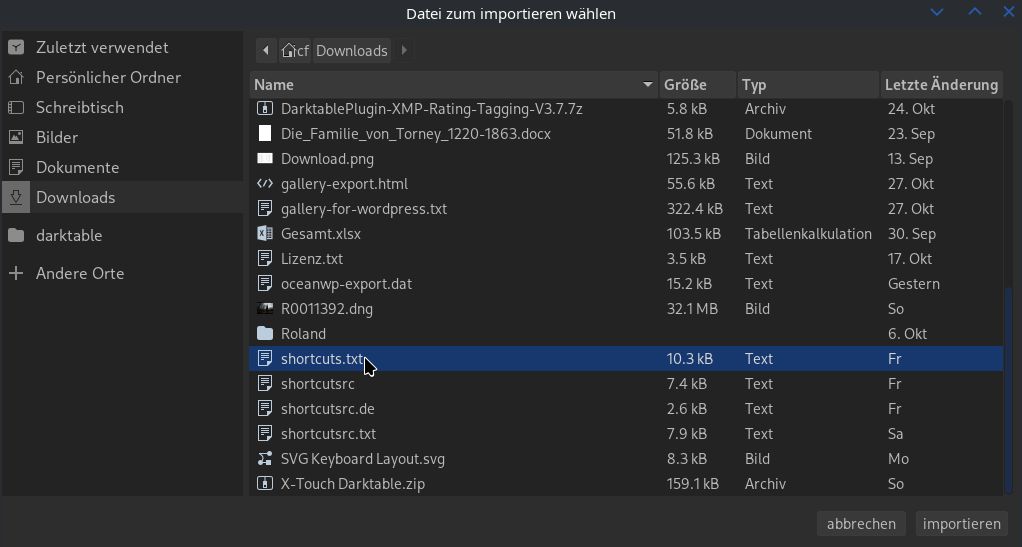
Open your download folder and select the shortcuts.txt file. Confirm with “import”.
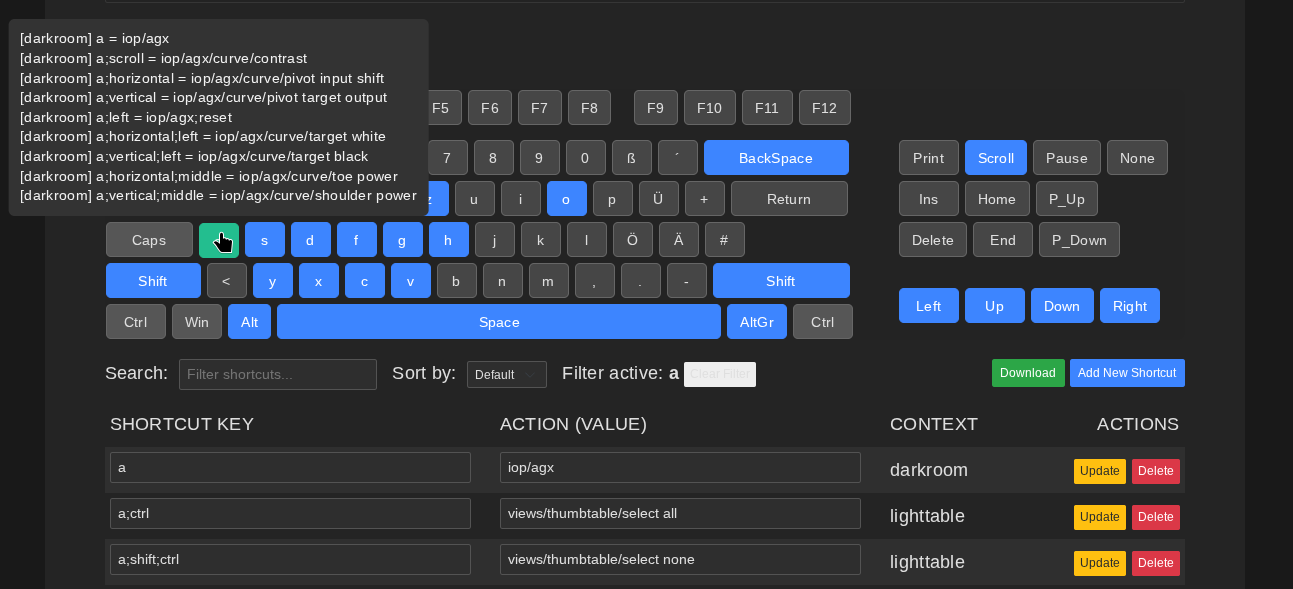
You can get a quick overview of your current keyboard layout via the Darktable Shortcuts Viewer/Editor.
As soon as you move the mouse over a key, all actions assigned to the key are displayed to you.
Further information and examples can be found under: Darktable Keyboard Layout Pro