
December 6, 2025
Full control over every color.
What is it about?
The Color Equalizer is one of the most powerful tools for colors in Darktable and the modern successor to “Color Zones”. It allows you not to change colors globally, but to intervene with surgical precision. You only want to change the green of the meadow, but the green in the T-shirt should remain? You do that here.
The three tabs:
The module works with three main curves (tabs):
- Hue: Changes the color itself (e.g., transforming a yellowish green into a rich emerald green).
- Saturation: Makes a color more vibrant or paler (e.g., desaturating skin redness).
- Lightness: Makes a specific color lighter or darker (e.g., darkening the blue sky).
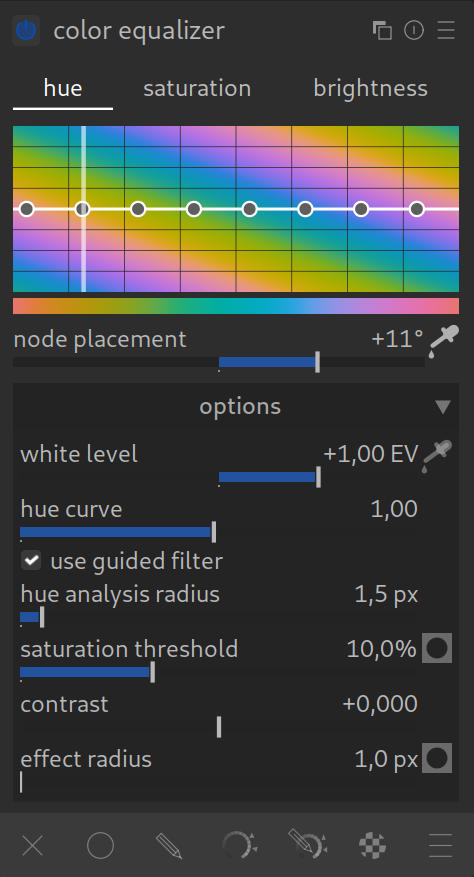
How to apply it:
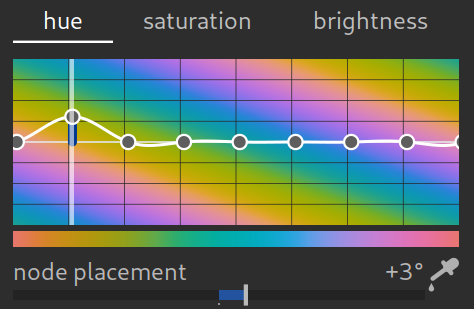
The operation is ingenious once you know the “trick”:
- Activate eyedropper: First click on the eyedropper icon directly below the graph. Only then does the module become interactive.
- Find color: Move the mouse over the area in the photo that you want to change. In the graph, a line now lights up, showing you exactly where this color lies on the curve.
- Adjust: In the graph: Click on the marked spot in the graph and drag the curve up or down.